Android TV · Google TV · Fire TV · 7-day free trial, then $19.99/year
The IPTV player that’s small, fast and light.
Add your M3U or Xtream playlist and MuskTV turns it into a full TV guide with catch-up and live rewind. The whole app is 2.4 MB, opens in 0.7 seconds and switches channels in about one, even on a 1 GB TV box.
- 2.4 MB app
- Opens in 0.7 s
- Channels in ~1 s
- Runs on 1 GB RAM
For Android TV, Google TV, Fire TV and Android boxes with a remote. On a phone or tablet, get MuskTV for Android phones.
Why MuskTV
Everything a TV box needs. Nothing it doesn’t.
Works with your playlist
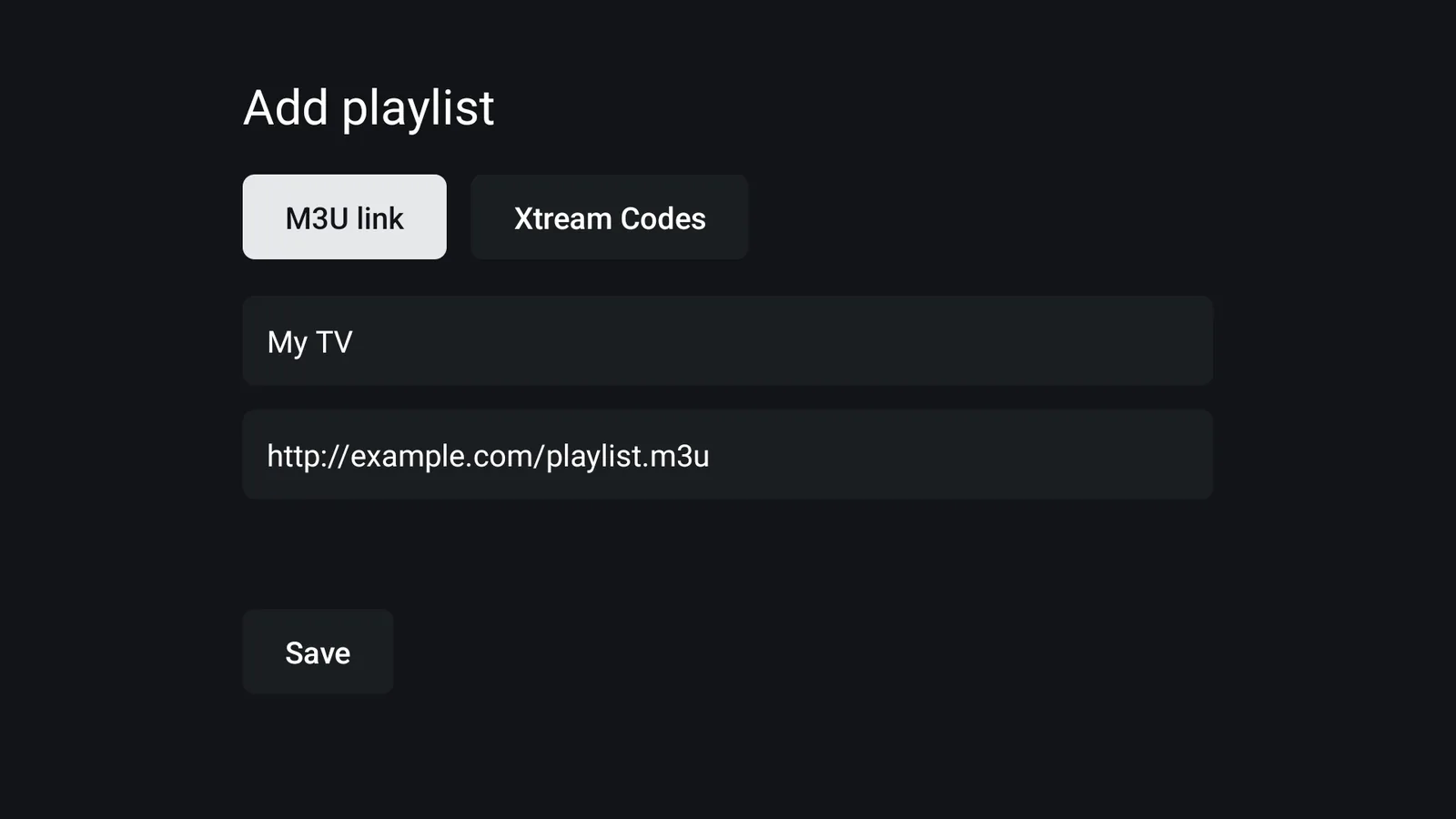
Paste an M3U/M3U8 link or sign in with Xtream Codes. MuskTV refreshes the playlist once a day so new channels just appear.
A real TV guide
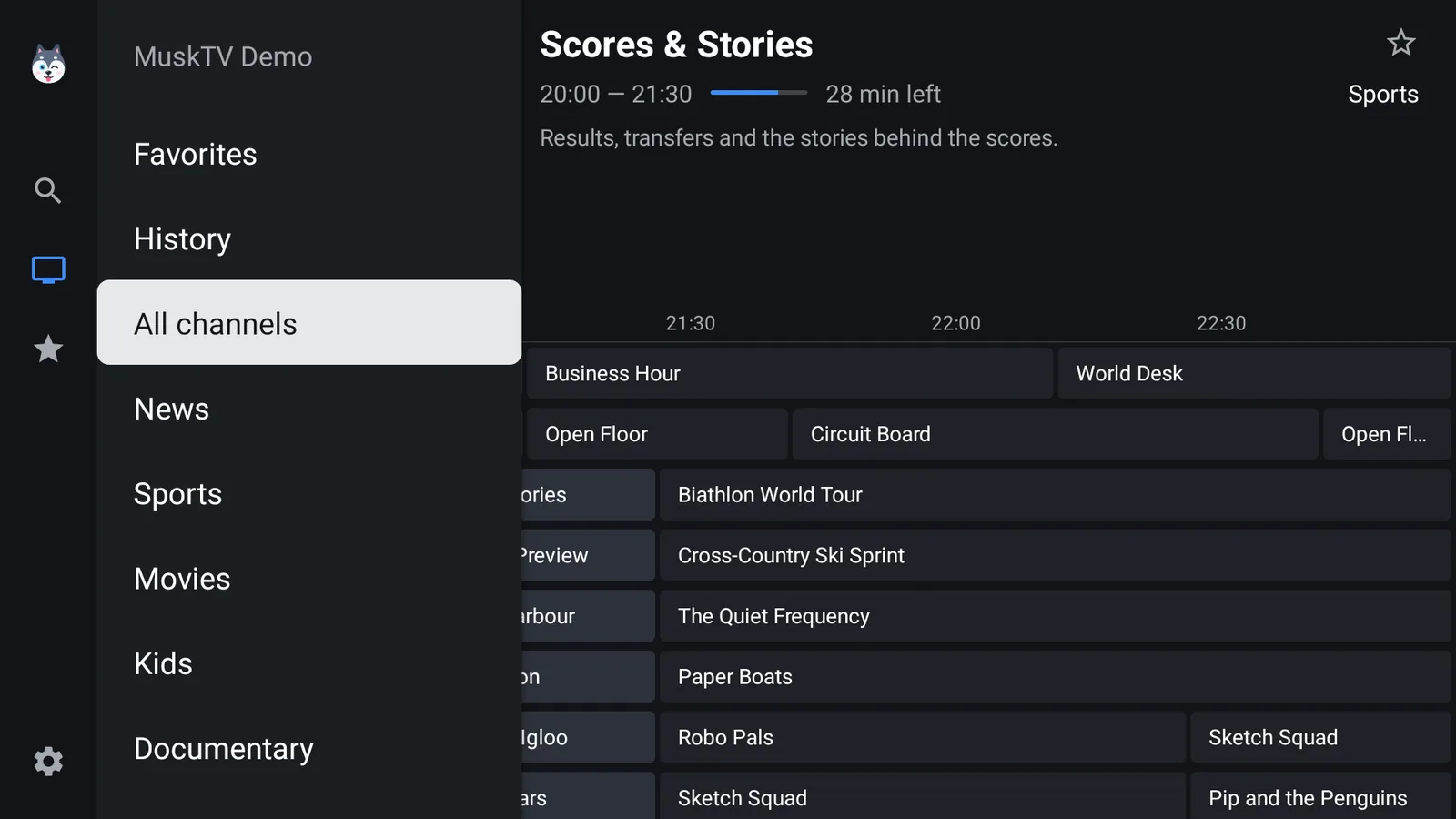
Reads the XMLTV guide named in your playlist (url-tvg), plain or gzipped. 433,000 programmes load in 38 seconds on a 1 GB box.
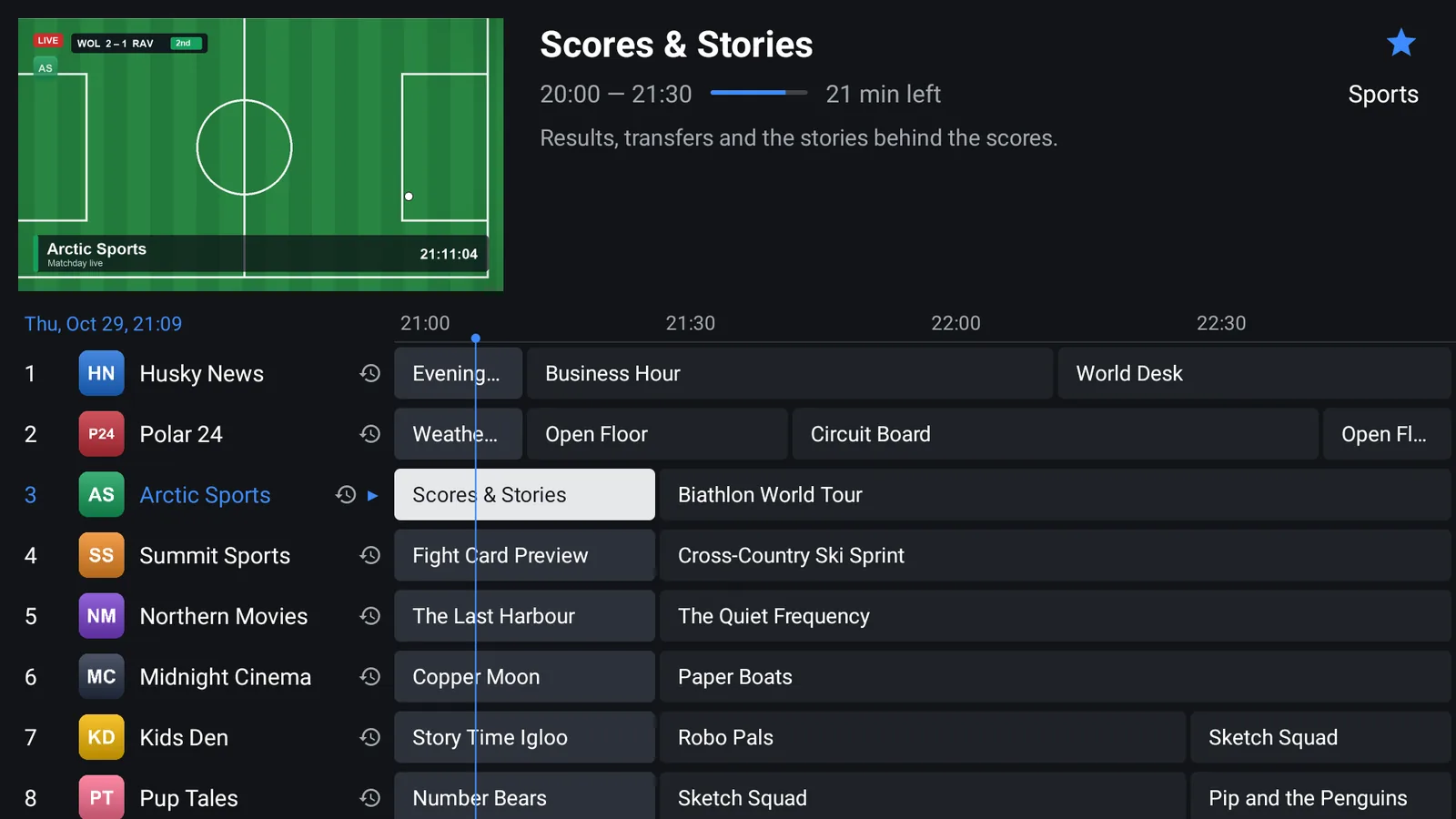
Guide-first home
The home screen is the guide, with the current channel playing live in a preview window. Press OK and it goes full screen without restarting.
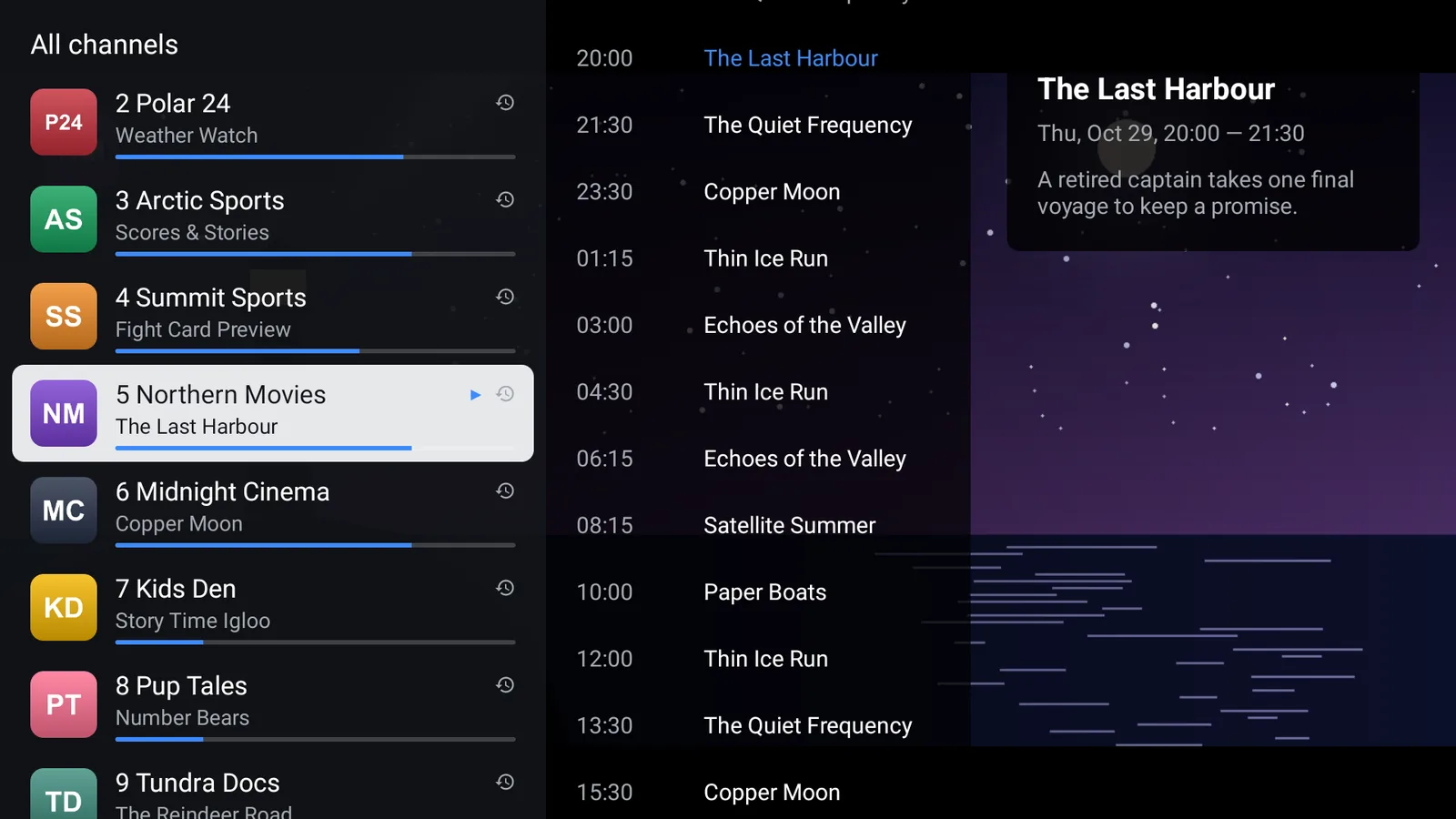
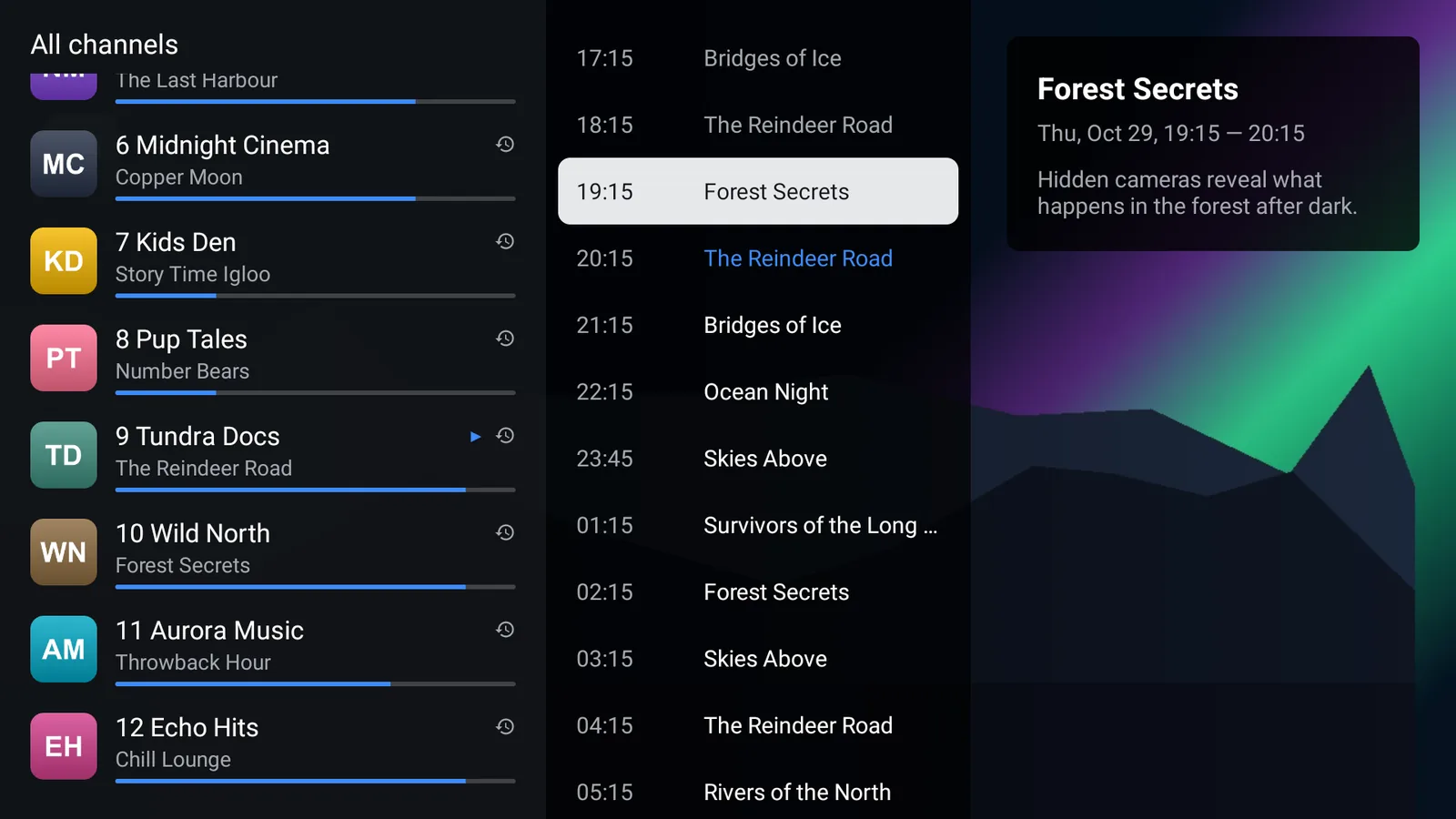
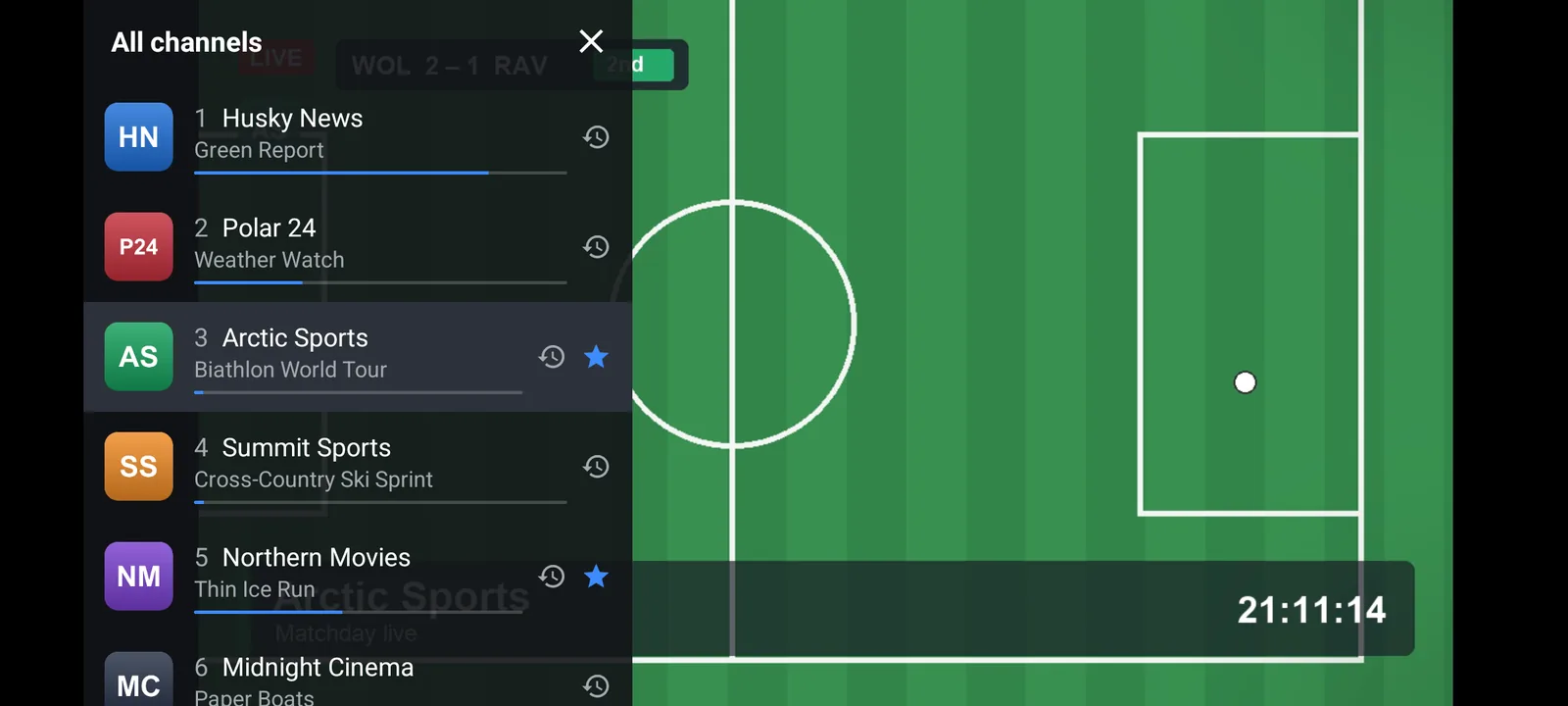
Channel list over the picture
Press Left while watching to browse channels and today’s schedule without leaving the stream.
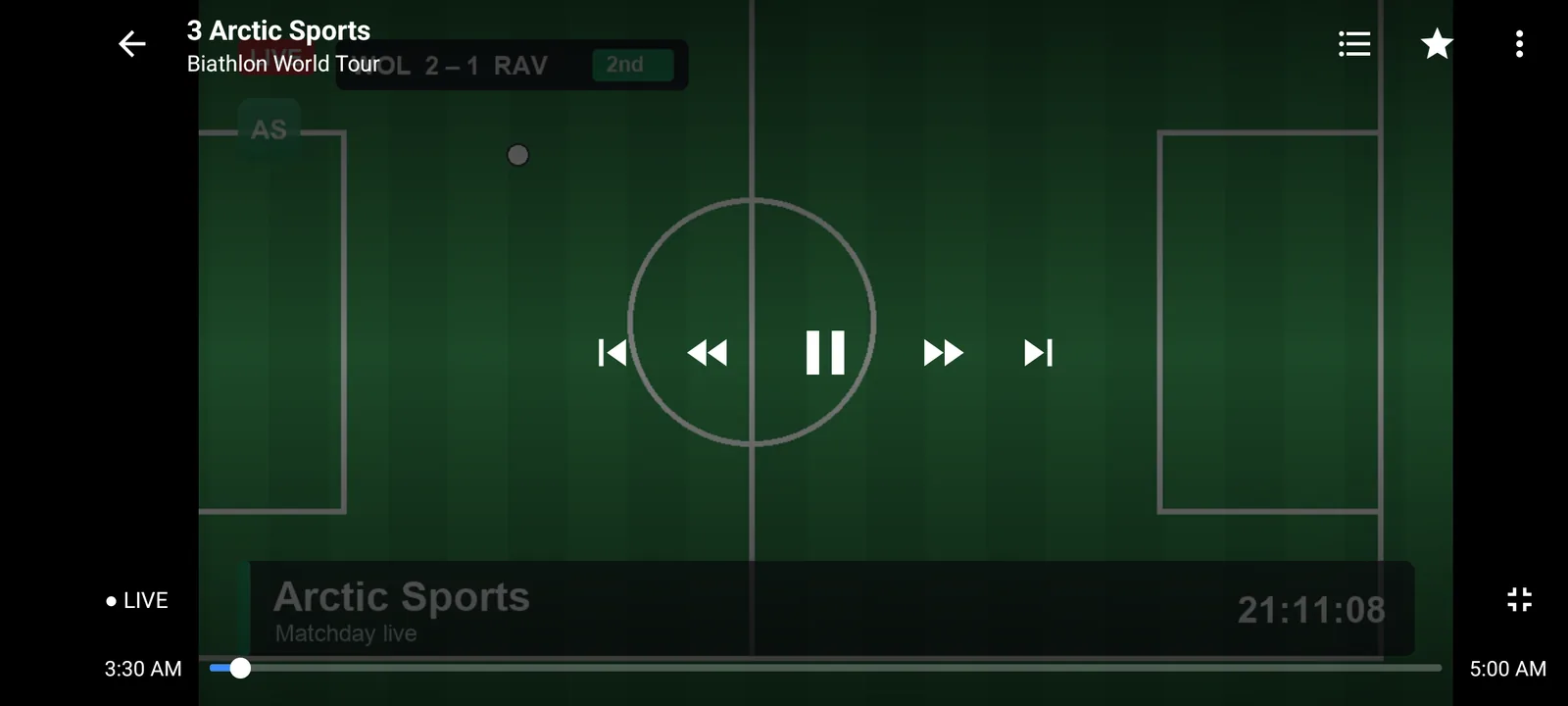
Catch-up and live rewind
Watch programmes you missed, restart the current show, pause and rewind live TV. Needs a provider that offers an archive.
Built for weak hardware
Hardware decoding, small live buffers and a fresh decoder for every channel switch, in a 2.4 MB app.
Recovers on its own
Wi-Fi drop, frozen stream or decoder crash: MuskTV reconnects and gets the picture back without you touching the remote.
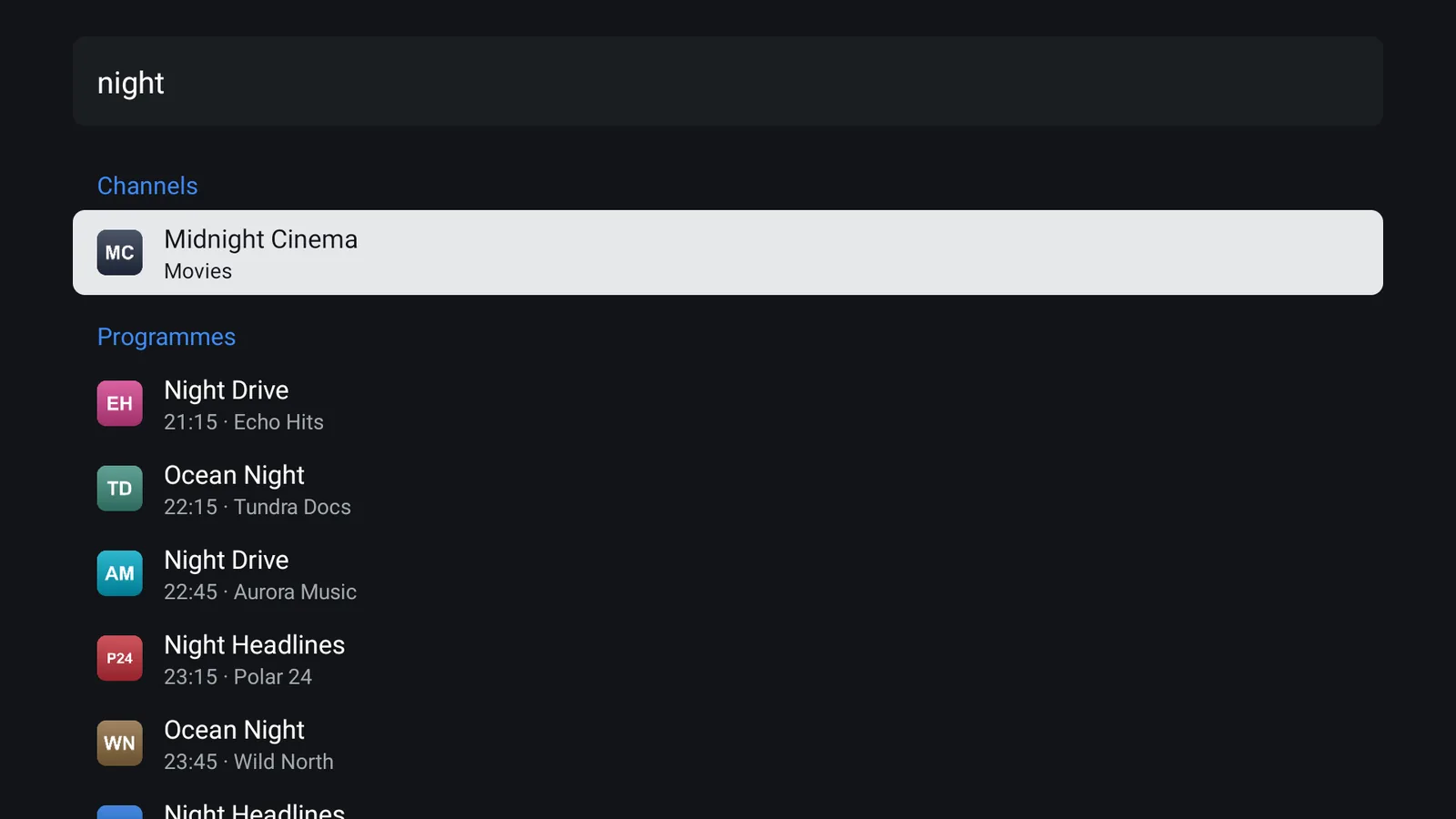
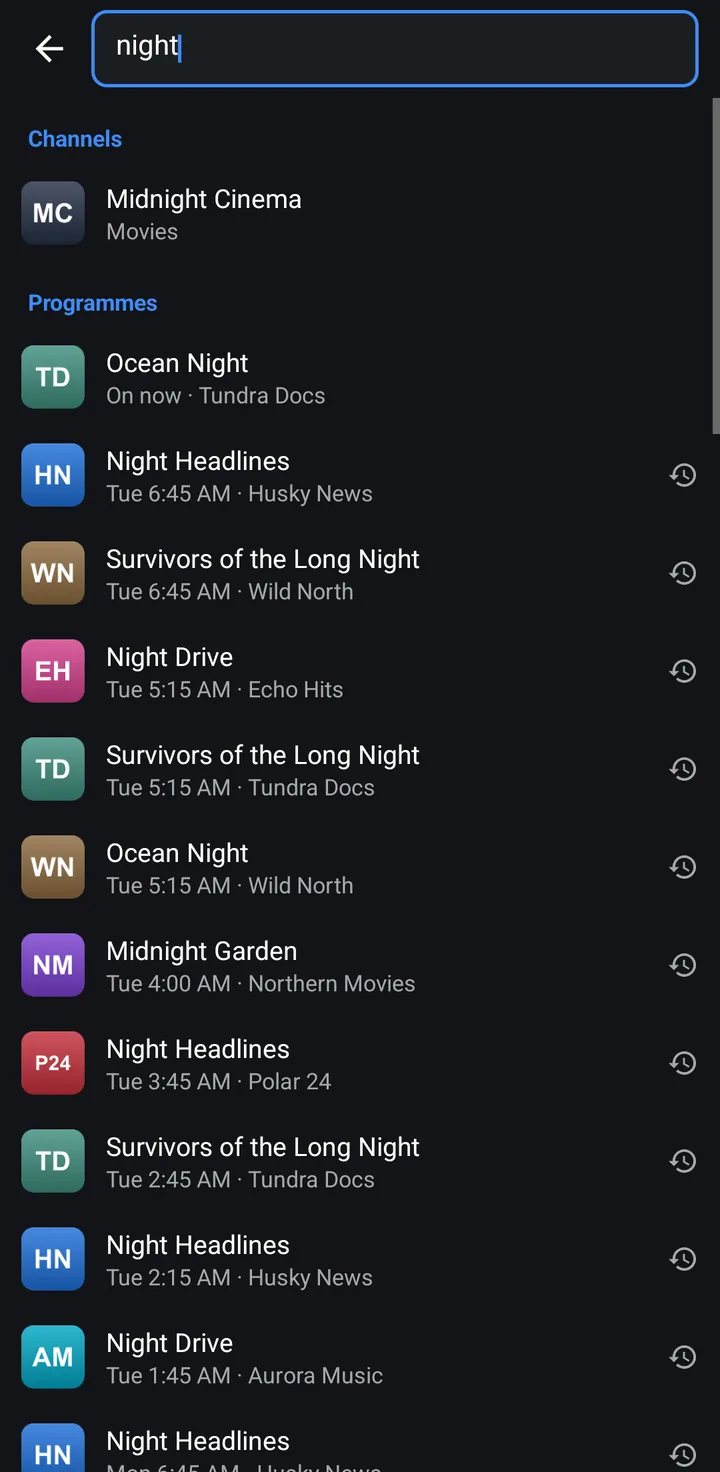
Search that forgives spelling
Search channels, programme titles and descriptions. Type in Latin letters and find Georgian, Russian or Ukrainian names.
Measured, not promised
Fast on the TV you already own
Every change to MuskTV is benchmarked on a real budget Android TV before it ships.
- Cold start from tap to the guide
- 655 ms
- Channel switch median, 1080i channel
- ≈1 s
- CPU while playing 1080i H.264
- 23%
- Memory while playing
- 87 MB
- App size the whole APK
- 2.4 MB
Measured with our benchmark script on a budget 2K Android 11 TV with under 1 GB of RAM, playing a 1080i H.264 channel (MuskTV 0.1.0, October 2026). Your numbers will depend on your device and provider.
TVs, boxes and phones
One player for the screens you have
Android TV & Google TV
Sony, TCL, Hisense, Philips, Chromecast with Google TV, Nvidia Shield.
Learn moreFire TV & Fire Stick
Every Fire TV Stick since 2018, from the Lite to the 4K Max, plus Fire TV Cube and Fire TV smart TVs.
Learn moreCheap Android boxes
Built and benchmarked on a TV with under 1 GB of RAM. If your box lags, start here.
Learn moreAndroid phones & tablets
A separate app with the same engine, laid out for touch. Android 6.0 or newer.
Learn more
Also on your phone
MuskTV for Android phones
A second MuskTV app for Android phones and tablets, with the same engine as the TV app and a layout made for touch. It is a separate 2.3 MB download for Android 6.0 or newer.
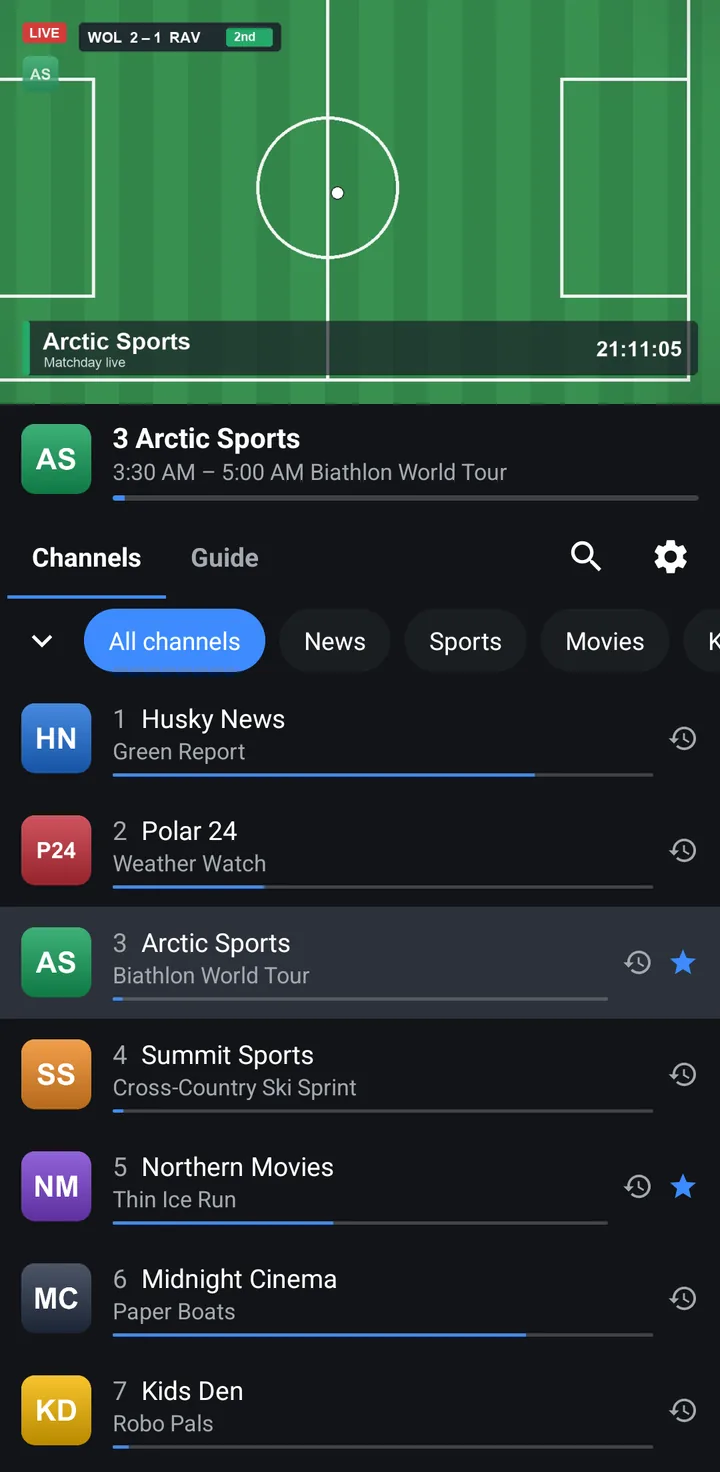
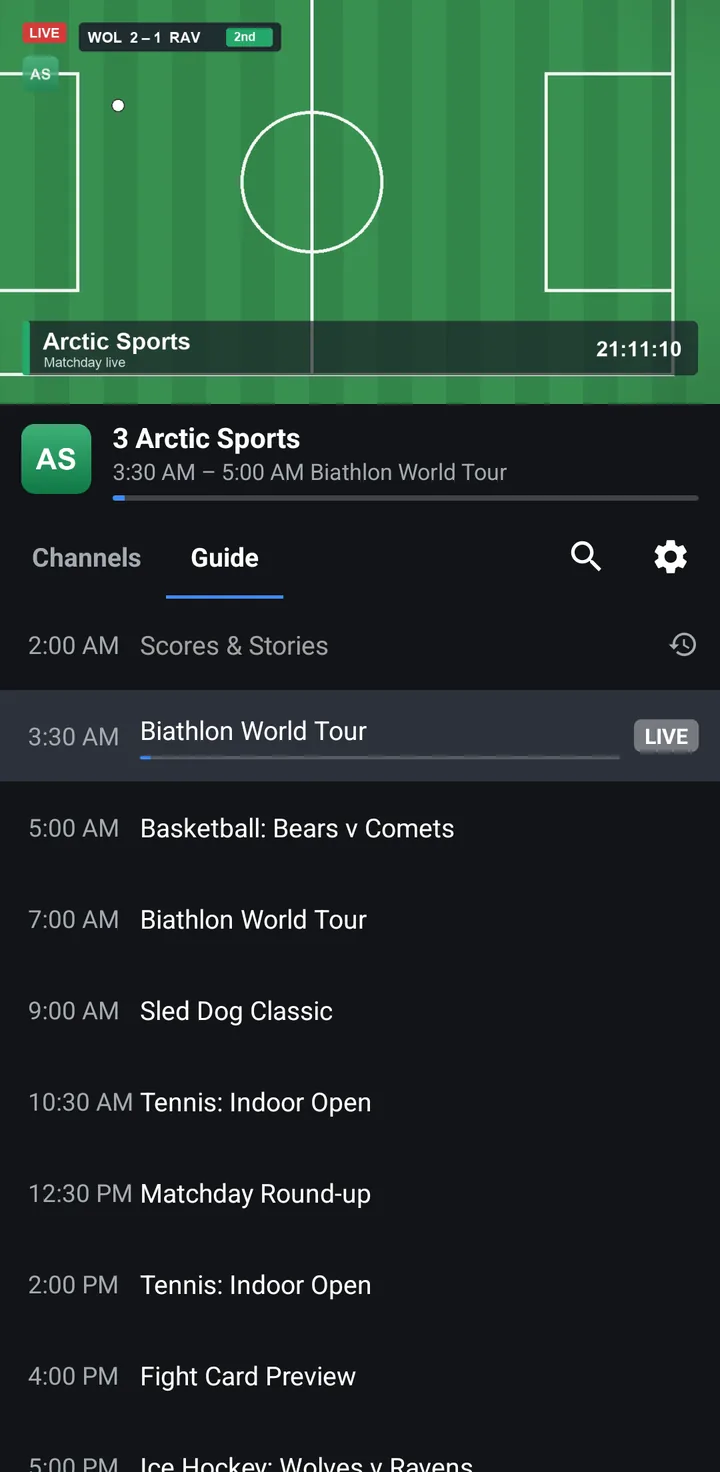
- One screen: the player on top, Channels and Guide tabs under it, categories as chips.
- Tap a channel to play. Tap it again or turn the phone for full screen.
- In full screen, swipe up or down to change channel, or slide the channel list over the picture.
- The same M3U and Xtream playlists, XMLTV guide, catch-up, favorites, history and search as on the TV.
- The same licence: one Premium account covers up to 5 devices, TVs and phones together.
Works with your provider
The formats IPTV providers actually use
M3U / M3U8
Paste the playlist link from your provider. Channel groups and catch-up settings are picked up automatically.
Xtream Codes
Enter the server address, username and password your provider gave you. MuskTV builds the channel list.
XMLTV guide
The guide named in your playlist (url-tvg) is downloaded, plain or gzipped, and refreshed every 12 hours.
No playlist? MuskTV has nothing to show. We do not supply one.
Guides: add an M3U playlist · Xtream Codes login · TV guide (EPG) setup · catch-up
Download
On your TV in three steps
Allow the install
On your TV, allow installing apps from your browser or the Downloader app.
Download MuskTV
In the Downloader app type the code 3716657, or open www.streamusk.com/apk on the TV.
Add your playlist
Paste your M3U link or enter your Xtream login. The guide follows automatically.
MuskTV for Android TV
Version 0.4.0 · 2.4 MB · Android 6.0+
For Android TV, Google TV, Fire TV and Android boxes with a remote. On a phone or tablet, get MuskTV for Android phones.
Fire TV and Android TV: use the Downloader app
Open Downloader, select the address bar and enter this code:
3716657
Or type www.streamusk.com/apk
FAQ
Good to know
Does MuskTV come with channels?
No. MuskTV is a media player only. It does not provide, host, sell or include any channels, playlists, films or other content, and it is not connected to any IPTV provider.
To watch anything you add a playlist you obtained from your own TV provider. We cannot help you find channels, playlists or providers.
Which playlist formats does it support?
M3U and M3U8 playlist links, and Xtream Codes logins (server URL, username and password). The TV guide is read from an XMLTV file, plain or gzip-compressed.
How do I add my playlist?
Open MuskTV and choose Add playlist. Pick M3U link and paste the URL from your provider, or pick Xtream Codes and enter the server, username and password. Press Save and the channels load in a few seconds.
MuskTV refreshes the playlist automatically once a day.
Where does the TV guide come from?
From your provider. Most playlists name their guide in the url-tvg header; MuskTV downloads it, streams it straight into its database and refreshes it when it is older than 12 hours.
If your guide is empty, your playlist probably has no url-tvg entry. Ask your provider for a playlist link that includes the guide.
Built for TV boxes that deserve better
MuskTV is made by Streamusk. We built it because cheap TV boxes deserve a player that doesn’t lag, and every change is benchmarked on a real budget Android TV before it ships.
Every TV and phone gets a 7-day free trial of the whole app, no account needed. After that, Premium keeps it working on up to 5 devices, TVs and phones together. It never includes channels or content.