One screen, made for touch
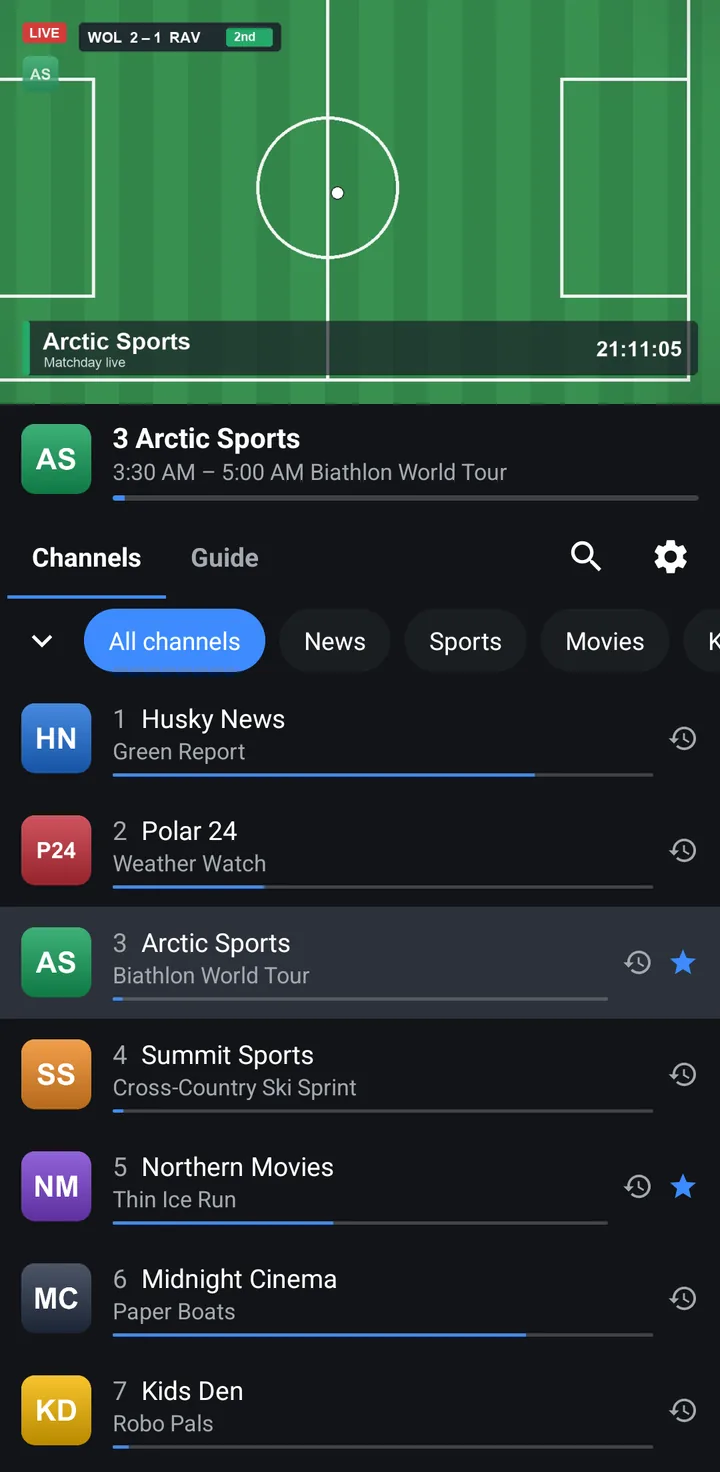
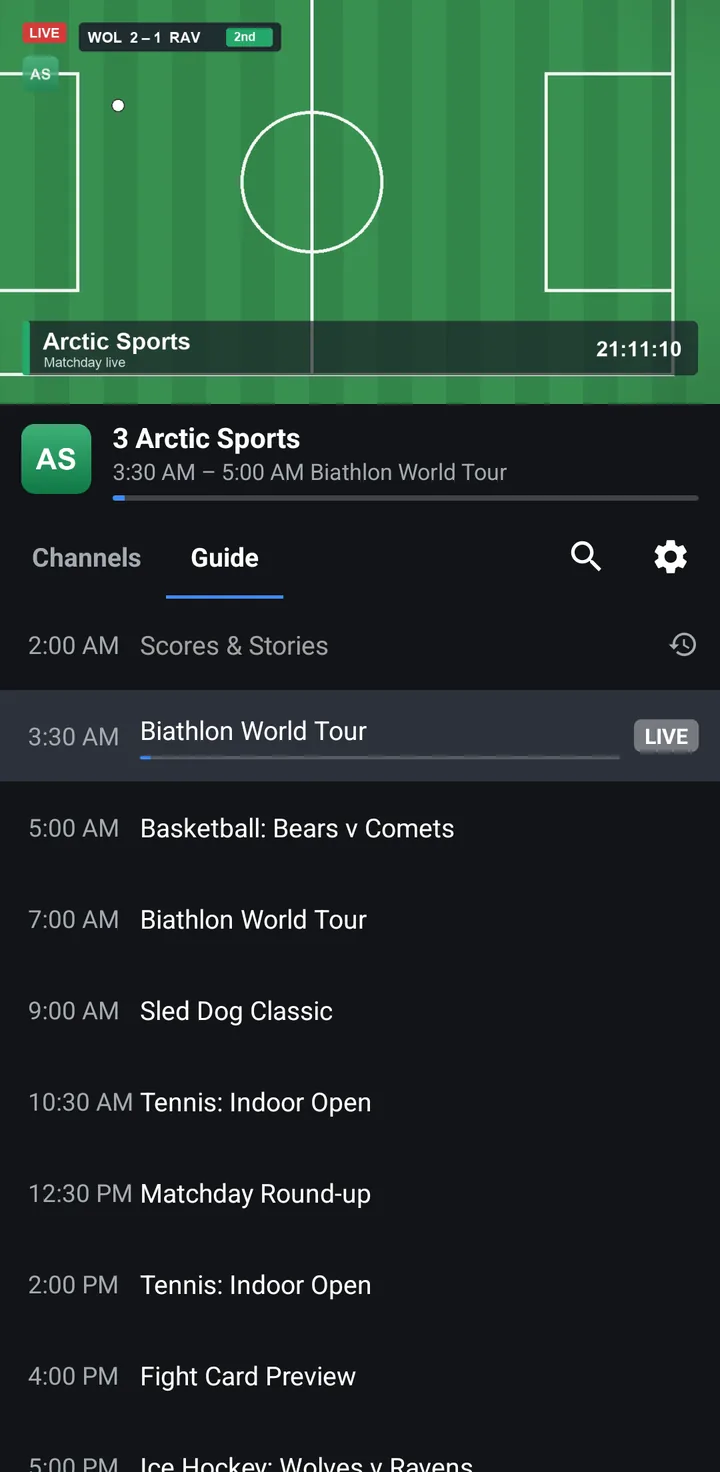
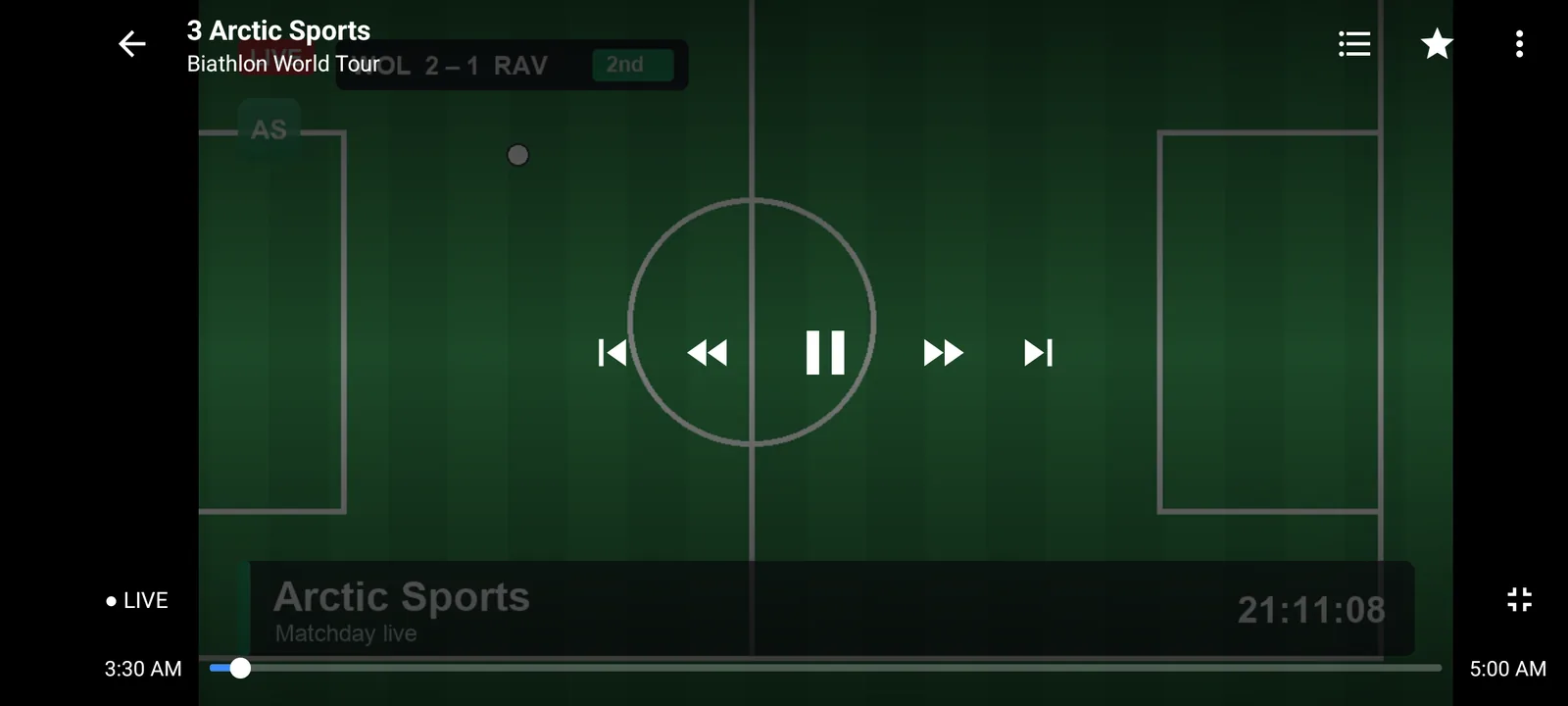
The phone app is its own app, not the TV app on a small screen. Everything is on one screen: the picture on top, and Channels and Guide tabs under it.
- Tap to play: tap a channel and it plays in the player above the list. Tap it again, or turn the phone, for full screen.
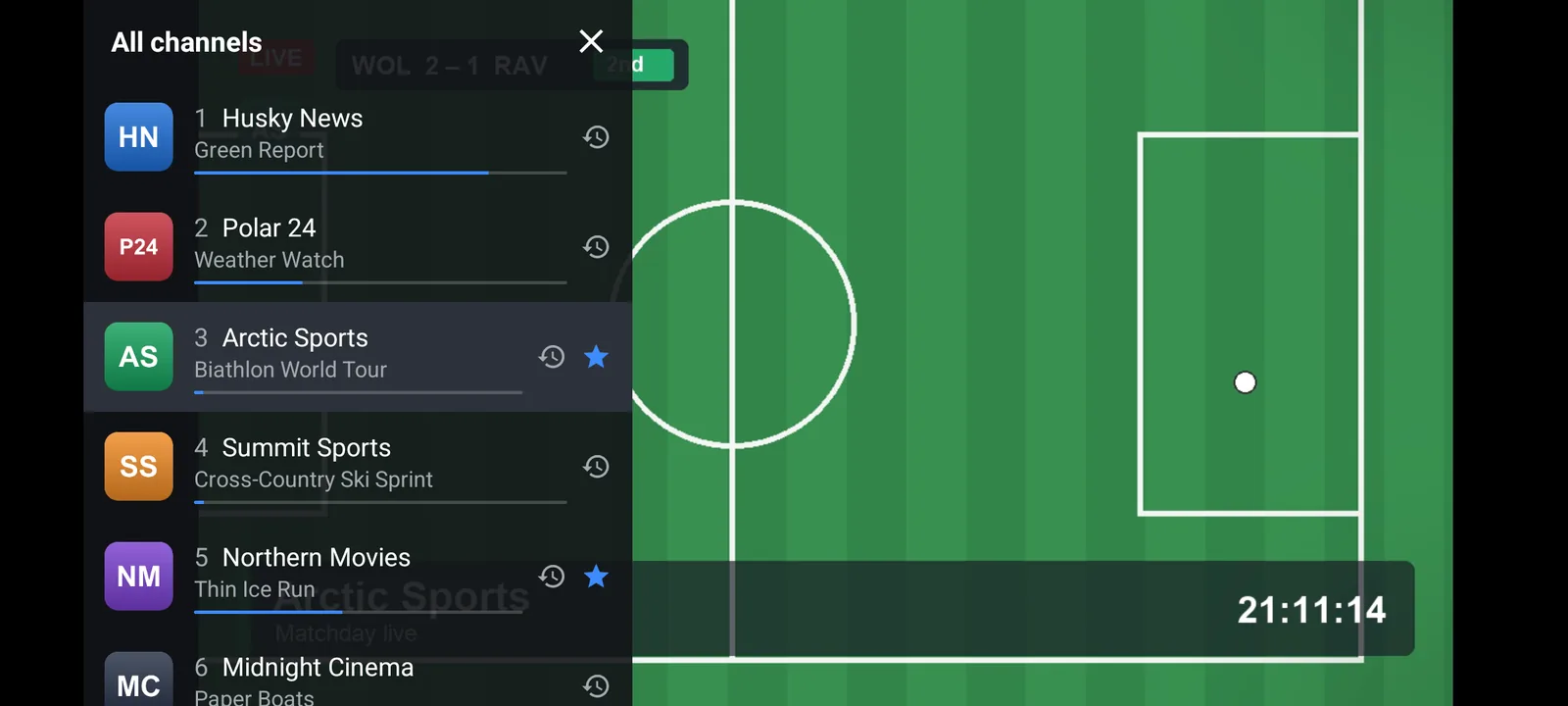
- Category chips: your provider's groups as a row of chips, with All channels, Favorites and History.
- Guide tab: the playing channel's programmes, under the picture.
- Swipe in full screen: swipe up or down for the next or previous channel, or slide the channel list over the picture without leaving the stream.
- Touch and hold: touch and hold a channel to add it to Favorites or hide it.
- Starts where you left off: MuskTV opens on the channel you watched last.
Works with the playlist you already have
- M3U / M3U8 links: paste the playlist address from your provider. What MuskTV reads from an M3U playlist.
- Xtream Codes: enter the server URL, username and password. Xtream Codes login explained.
- XMLTV guide: the TV guide your provider publishes, read as an XMLTV file. EPG setup guide.
The phone app works with one playlist. Those guides were written for the TV app; the playlist and guide fields are the same on a phone.
MuskTV is a player only. It does not come with channels, and we can't help you find a playlist or a provider.
Catch-up, search and the rest
- Catch-up: watch programmes that have finished, rewind, or restart a programme, on channels where your provider keeps an archive. How catch-up works.
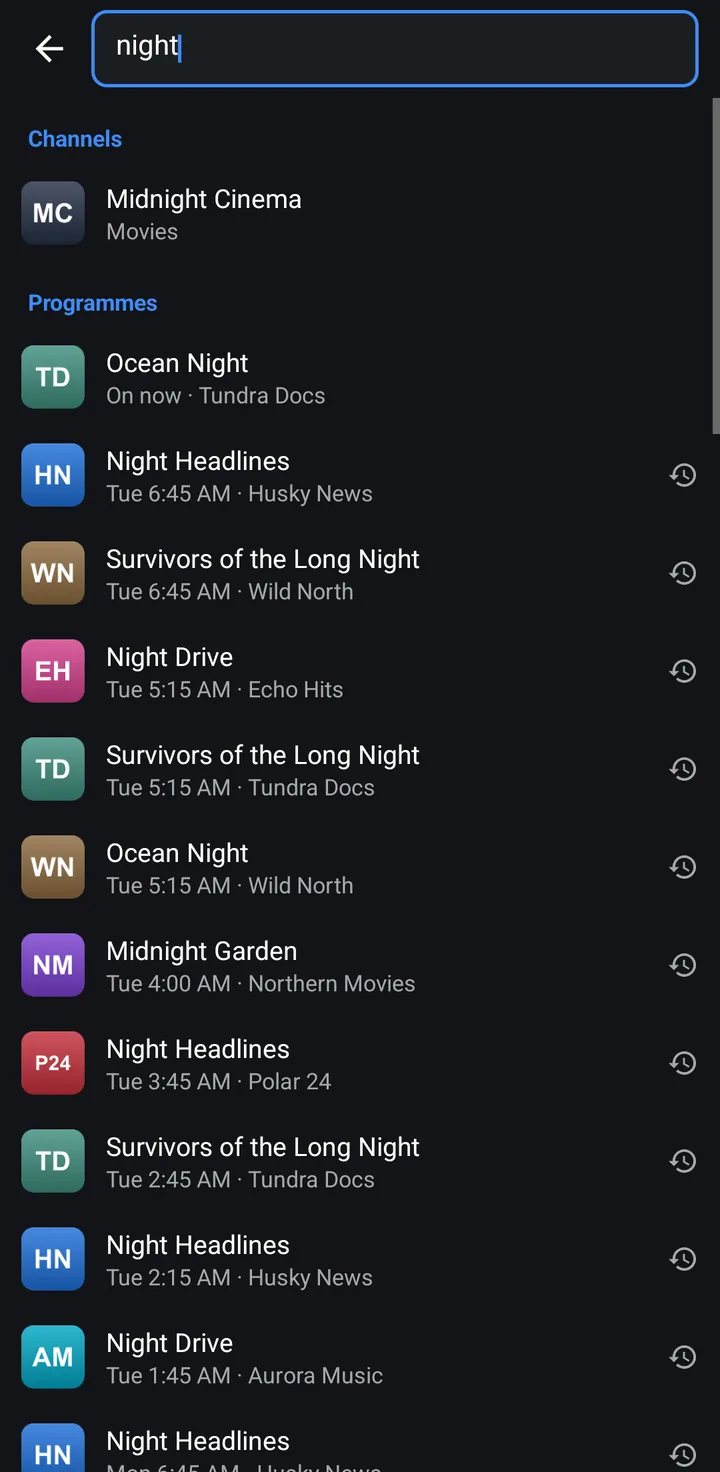
- Search: one search over channels and the guide.
- Favorites and history: your starred channels and the ones you watched recently, as their own categories.
- Audio, subtitle and video tracks: pick the track your provider offers.
- Display modes: choose how the picture fills the screen.
- Sleep timer: playback stops after the time you set.
- Recovers on its own: when a stream drops, MuskTV reconnects by itself.
What is different from the TV app
Both apps have the same engine, so playlists, the guide, catch-up, search and playback work the same way. The TV app is built for a remote, the phone app for touch.
A few things are in the TV app only: typing a channel number, voice search, reordering channels and managing many channels at once. The phone app has no picture-in-picture and does not play in the background.
For a television, an Android box or a Fire TV, use the TV app: IPTV player for Android TV.
Install it from this website
MuskTV for Android phones is not on Google Play. You download the official APK from this website. It needs Android 6.0 or newer and also works on tablets.
- On the phone, open
www.streamusk.com/apk/phonein the browser. - When Android asks, allow the browser to install unknown apps.
- Open the downloaded file and tap Install.
Every step, and what to do when it fails: How to install MuskTV on an Android phone. After the first install the app updates itself.
One licence for TVs and phones
Every device gets a 7-day free trial from the first launch, with every feature and no account. After that, Premium is $19.99 a year, bought on this website and paid in crypto. One account covers up to 5 devices in total, TVs and phones together, so a phone takes one of those places instead of needing a plan of its own. See Premium.
To activate the phone, open Settings › Premium in the app. It shows a code and a button that opens streamusk.com/activate with the code filled in. If the TV app and the phone app are installed on the same Android device, they share that device's one trial.
Questions
Is MuskTV for Android phones on Google Play?
No. You download the official APK from www.streamusk.com/apk/phone and install it yourself. It is signed with our release key and updates itself from inside the app.
Does it work on Android tablets?
Yes. MuskTV for Android phones also works on tablets with Android 6.0 or newer.
Do I need a second licence for my phone?
No. One Premium account covers up to 5 devices in total, TVs and phones together. Each device also gets its own 7-day free trial first.
Does it include channels?
No. MuskTV is a media player only. You add a playlist from your own TV provider.
Which Android version does it need?
Android 6.0 or newer.